
Milo Solutions
Get in touch

SERVICE

UX/UI design

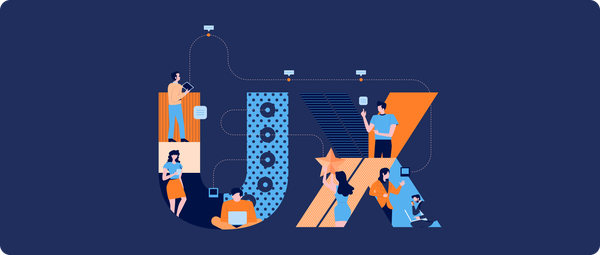
UI is how your product looks. UX is how easy it is to use. Which one to lead with depends on who's using it — and getting that priority right shapes the entire design process.

Mobile_-_Mobile_application_development_7KU0txl.original
  • Design prioritized for what your users actually value
  • A clear framework for B2B vs. B2C products
  • Built to convert visitors into users, not just look good
View Projects

When to lead with UX vs. lead with UI

Both always matter. The question is which one earns the bigger share of the budget and the first round of decisions.

Lead with UX (efficiency) when:
Lead with UI (visual polish) when:

Why good design pays off

Good design doesn't just make your website look better—it makes it work better. By creating a clear user journey, reducing friction, and highlighting key actions, thoughtful design encourages more visitors to take the next step.
Whether it's making a purchase, booking a consultation, or filling out a contact form, an intuitive experience increases the likelihood of conversion. Small improvements in usability and visual hierarchy can have a significant impact on your overall business results.

A clear framework: UX and UI, by audience

Neither one ever hits zero — but the right split depends entirely on who's using the product.

B2B · Business apps

Efficiency wins

Business apps can be visually basic and still win — if they deliver speed and clear business value.

70% UX — ease of use
30% UI — visual polish
Wins on
UX — ease of use
Can slide
UI — visual polish

B2C · Consumer apps

Polish wins

Consumer apps need to look current and feel good. Users tolerate a missing feature more than a dated interface.

40% UX — ease of use
60% UI — visual polish
Wins on
UX — ease of use
Can slide
UI — visual polish

UI is how it looks. UX is how easy it is to use. You lead with whichever your users actually value.

Products we're proud of

Multimedia / Graphics

Munson-Banner
Munson Furniture

Munson Furniture, later rebranded as CraftOS, represents a leap forward in custom furniture design and manufacturing. This project showcases our ability to create sophisticated 3D configurator tools that bridge the gap between customer customization and automated manufacturing processes. By enabling users to personalize furniture designs in real-time, we've helped transform the bespoke furniture industry for small to medium-sized businesses.

  • Figma
Team size
2 FTE
Project duration
2 years
Location
United States

Business Operations

Jobmein - banner new
JobmeIn

What if job hunting felt more like swiping on your next match? With JobmeIn, we helped bring that idea to life. We designed and developed a mobile-first hiring platform where candidates and employers connect based on compatibility.

JobmeIn flips the traditional recruitment process by turning it into an intuitive, swipe-based experience. Employers set up profiles outlining the traits and skills they’re seeking, while applicants showcase their experience, personality, and goals. When there’s a match — both sides are notified and can schedule an interview.

Milo was responsible for the full product design and MVP build, from early UX flows and wireframes to clickable UI, logic, and implementation. The app is tailored for the UAE market and focused on quick, quality connections between talent and employers in service, hospitality, and retail sectors.

  • Figma
Team size
1 FTE
Project duration
3 months
Location
United Arab Emirates

Business Operations

Viewly - banner
Viewly

Managing multiple viewing requests when selling or renting things people want to see first can be a nightmare — especially when messages come from every direction. Viewly makes it easy for sellers, renters, agents and landlords to organize, manage and track in-person viewings in one place.

Our team set out to design and build the entire platform from scratch. From product design and UX, to full-stack development, and a beautiful landing page we delivered a mobile-friendly progressive web app that simplifies the viewing management experience for people renting or selling homes, cars, offices, and more.

Forget about juggling DMs, calls, emails, and spreadsheets. With Viewly, sellers can focus on closing deals instead of coordinating calendars.

  • Figma
Team size
3 FTE
Project duration
6 months
Location
United Arab Emirates
View all case studies

Questions we help clients answer

What's the actual difference between UX and UI?

UI is how your product looks. UX is how easy it is to use. Every product needs both — the question is which one you lead with, and that depends on what your users actually value.

Should we hire separate UX and UI designers?

Not this early. For startups, one person covering both UX and UI is usually the right call — splitting the budget across two specialists before you need that depth just slows you down.

Our product isn't very visual — does UI still matter?

Business apps can be visually basic and still win, as long as they deliver efficiency and clear business value. UI still needs to be clean — it just isn't where the budget should lead.

How much does visual polish matter for a consumer app?

A lot. Consumer apps need to look current and feel good — users will tolerate a missing feature far more easily than an interface that feels dated.

How does design actually affect conversion?

Turning visitors into users is a design problem as much as a marketing one. That's conversion experience (CX) — the flow, clarity, and trust signals that decide whether someone follows through, in both B2B and B2C products.

Recommended reading

Picked for founders building their first web product

What is UX Design? A Beginner’s Guide for the IT Industry

Development

What is UX Design? A Beginner’s Guide for the IT Industry

The term UX design appears everywhere in the IT world. It’s often misunderstood, but understanding (and applying) it is essential for your product to make it on the market. UX design is what lies at the core of most success stories in tech. But what is it exactly? Why does it matter? How to leverage good UX practices to compete with major players? Let’s dive in.

7 min read

Read more
Why UX/UI Design Matters for Web Applications – How to Create Intuitive and Engaging Interfaces

Development

Why UX/UI Design Matters for Web Applications – How to Create Intuitive and Engaging Interfaces

In the world of modern web applications, both UX and UI design for web applications play critical roles in user satisfaction and business success. UX (User Experience) focuses on usability, accessibility, and the overall flow of interactions, while UI (User Interface) deals with the visual presentation, including typography, color, layout, and interactivity.Great functionality alone isn’t enough – users expect intuitive web design that is seamless, visually appealing, and easy to navigate. This article explores why UX/UI design is essential for web applications and how to create engaging web interfaces that attract, retain, and satisfy users.

5 min read

Read more
Design Principles Based on Nielsen Heuristics

Development

Design principles based on Nielsen Heuristics

Creating intuitive and efficient digital experiences is at the heart of good UX design. A key method for evaluating usability is heuristic evaluation, a process that helps designers identify common UX issues early. At the center of this method lies Nielsen heuristics—a foundational framework developed by Jakob Nielsen that continues to influence modern UX practices.For startups building their first MVPs, scale-ups improving usability under pressure, or established companies refining complex platforms, Nielsen heuristics offer a practical, proven way to ensure your product resonates with users from day one. These principles are especially useful when resources are limited, timelines are tight, and usability must be built in—not bolted on.This article explores what Nielsen heuristics are, why they matter, and how to apply them effectively in UX design.

9 min read

Read more

Ready to design a better product?

Let's figure out whether your product needs to lead with UX, UI, or a bit of both.

  • Free consultation
  • Tailored approach
  • No obligation